Today, by mealtime
Doses are grouped around your breakfast, dinner, and bedtime. Take everything at once, or one at a time. Reminders let you take or snooze right from the notification.
Scan a label to add a product. Count pills with a photo. Know what to take, what you took, and when to reorder.
Coming soon to the App StoreFor iPhone and iPad. Free for one week.
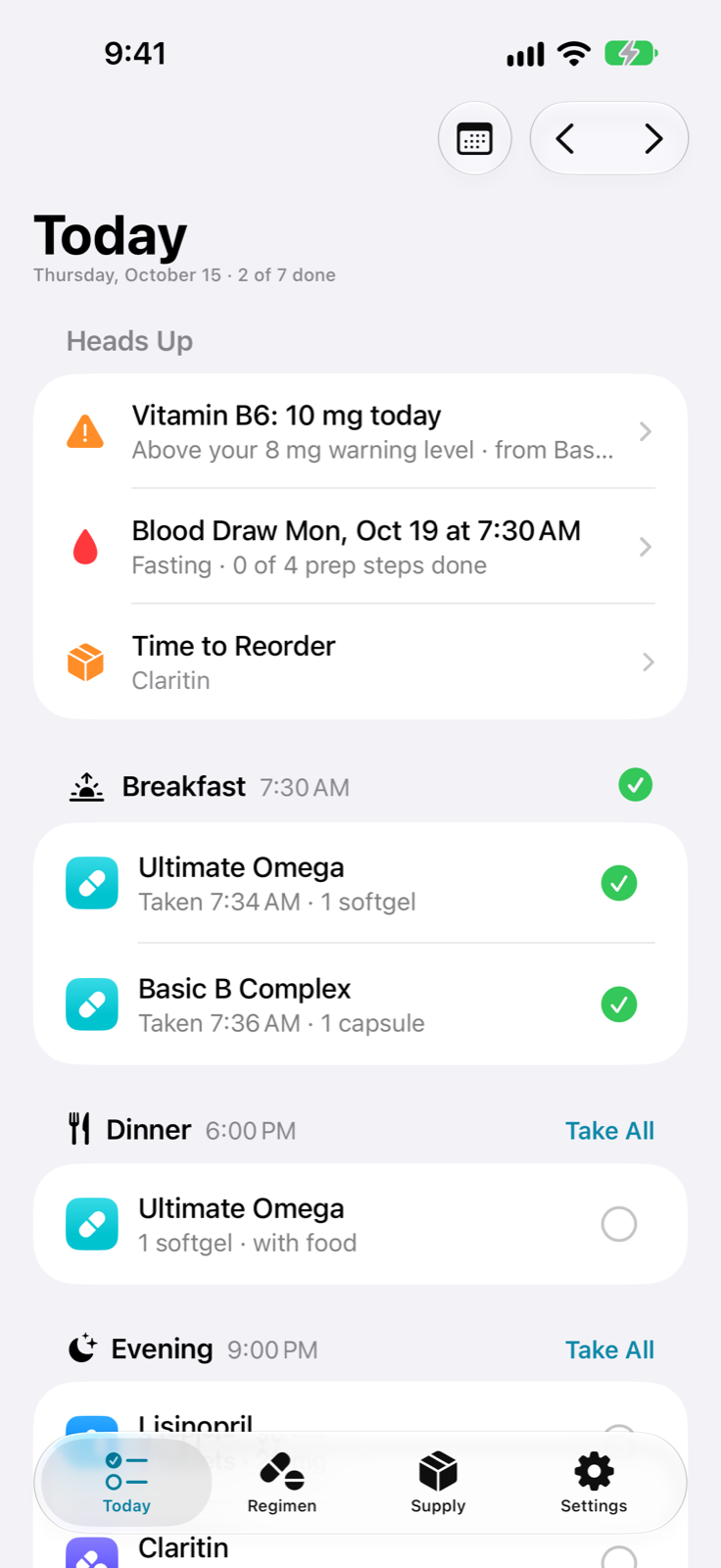
Doses are grouped around your breakfast, dinner, and bedtime. Take everything at once, or one at a time. Reminders let you take or snooze right from the notification.
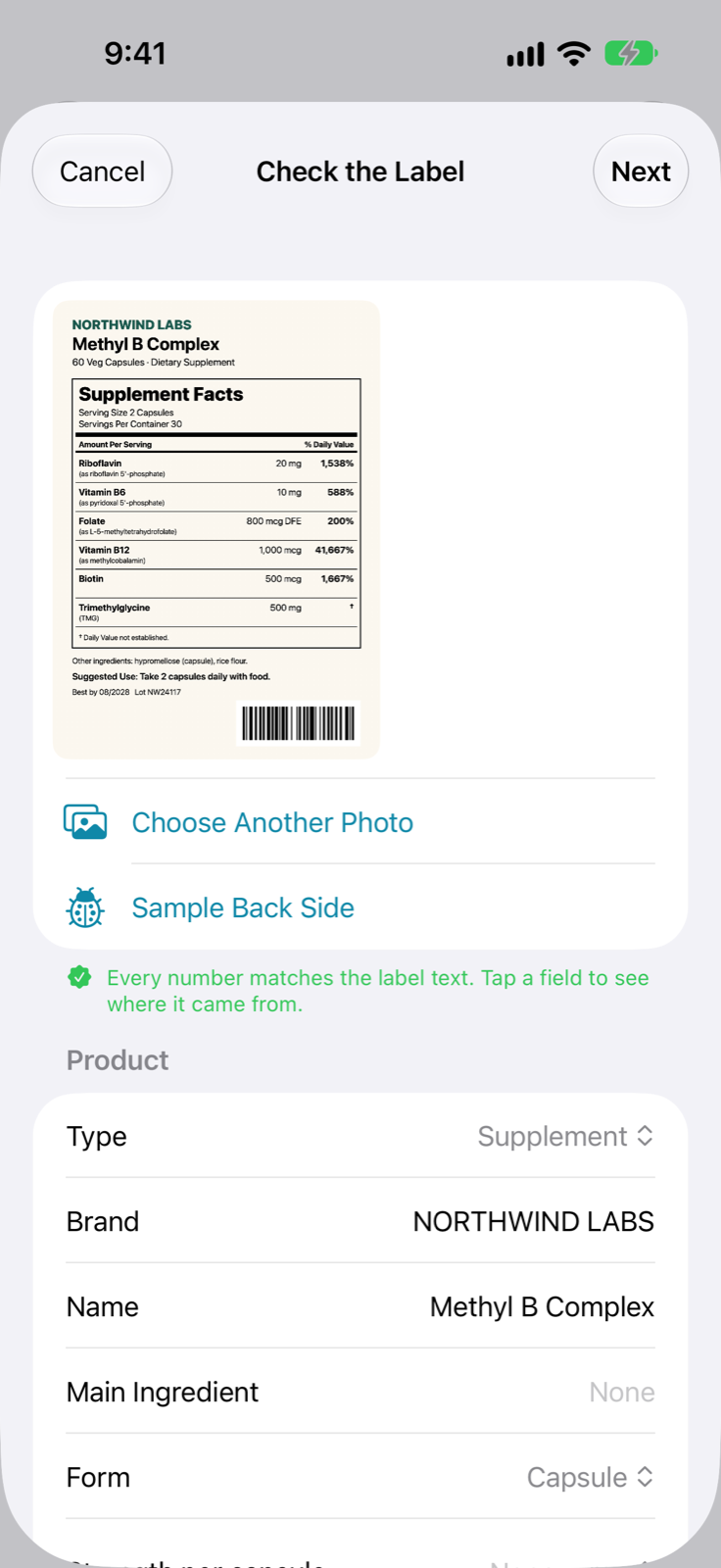
Photograph a supplement facts panel or a prescription label. Pillshelf reads the product, strength, and ingredients on your device and shows where each number came from, so you can check it.
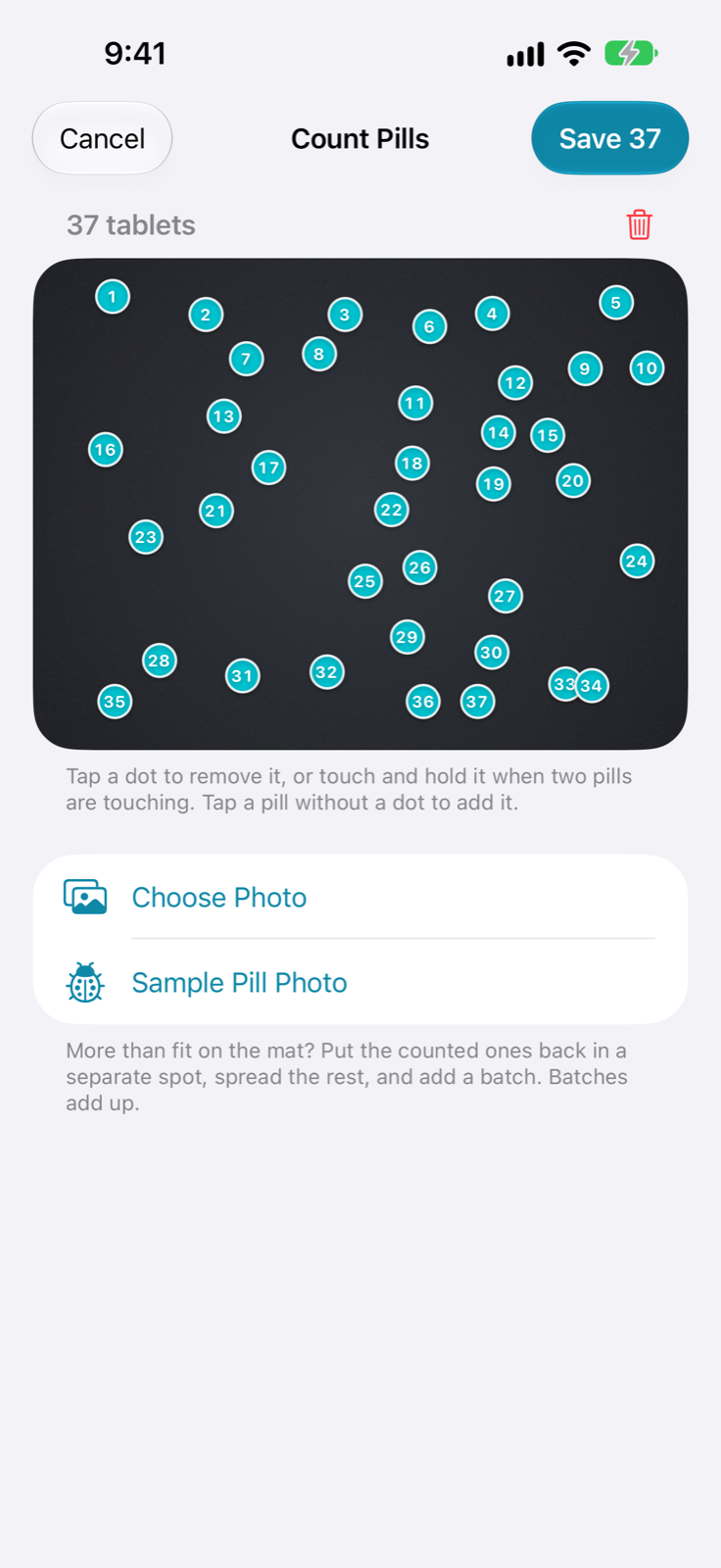
Pour them out, take a picture, and get a count. Every pill gets a numbered dot. Tap to fix a miss, and the bottle's count is corrected.
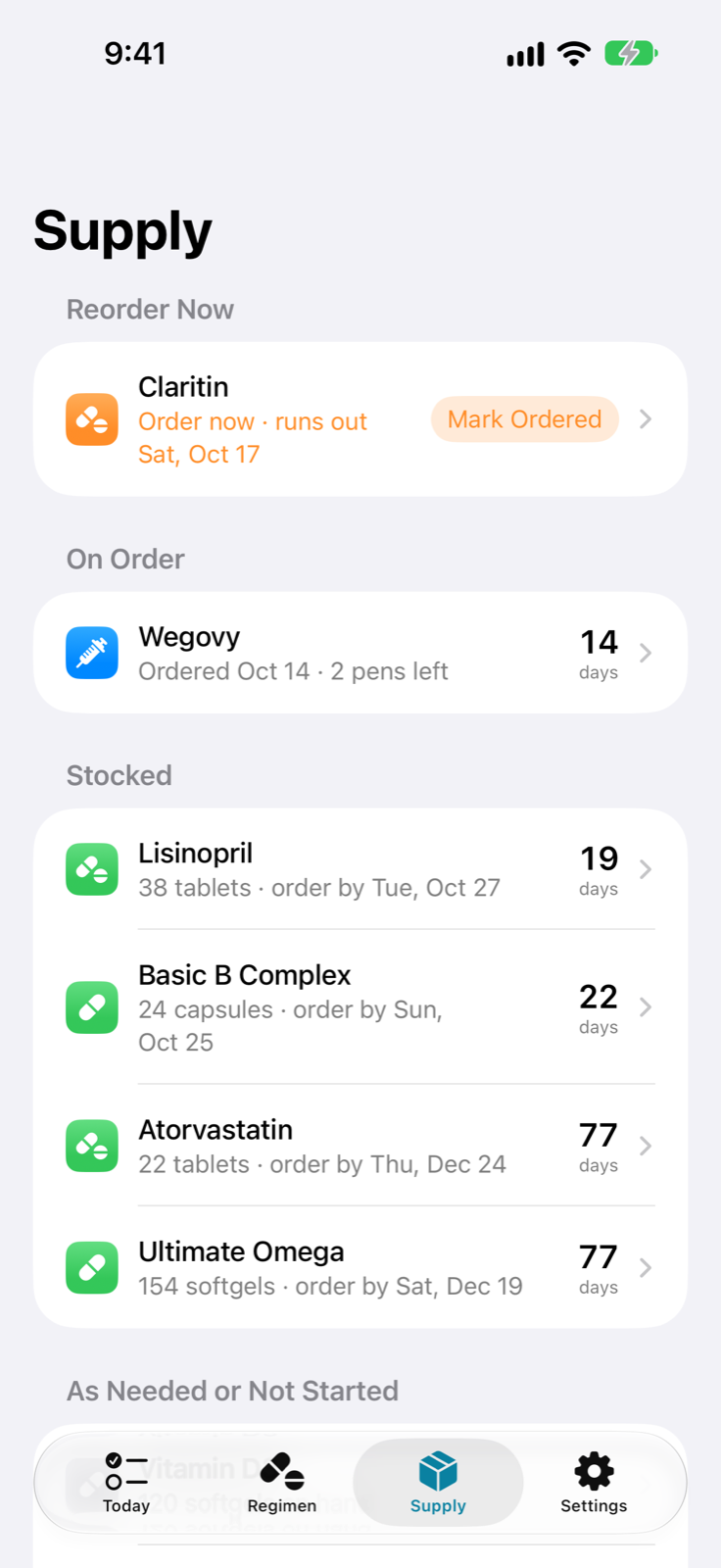
Pillshelf knows what's in each bottle and how fast you use it. It tells you how many days are left, when to reorder, and skips bottles past their expiration date.
Add up a nutrient across everything you take and get a heads-up past the limit you set. Pause biotin before a blood draw, and keep the fasting steps in one place.
A month at a glance shows what you took and what you missed. Share a one-page medication list as a PDF before an appointment.
Say "Log my breakfast doses in Pillshelf," or put it on the Action button.
Your shelf stays in sync through your own iCloud account, with a layout made for each screen.
No account. No ads, analytics, or tracking. Label scanning and pill counting run on your device, and sync goes through your private iCloud database, which we can't see.